Showing posts with label LibreOffice Writer. Show all posts
Showing posts with label LibreOffice Writer. Show all posts
Wednesday, April 16, 2014
LibreOffice Writer desktop shortcut
If you need a desktop shortcut to start LibreOffice, save this file as LibreOffice Writer.desktop in /home/name of user/Desktop.
#!/usr/bin/env xdg-open
[Desktop Entry]
Type=Application
Name=LibreOffice Writer
Exec='/opt/libreoffice4.2/program/swriter'
Terminal=false
Icon=/usr/share/app-install/icons/libreoffice-writer.png
Sunday, December 2, 2012
Orientation of a page in LibreOffice on Debian Linux

Recently, the most frequent option I selected in LibreOffice when formatting a page was the Landscape option. In LibreOffice Writer, I chose Format, Page..., Page (tab) and Landscape (Orientation).
Sunday, March 25, 2012
Simplified and Traditional Chinese characters translation in LibreOffice on Debian Linux
LibreOffice (version 3.5.1) can help me to translate some Simplified Chinese (SC, 簡體中文) characters into Traditional Chinese (TC, 正體、繁體中文) characters.
However, I should add more terms to make this function more usable. For example, "咨询" in SC should be "諮詢" in TC。
Here is how to improve the SC-to-TC function:
In Terminal, type:
Copy and paste the contents below:
However, I should add more terms to make this function more usable. For example, "咨询" in SC should be "諮詢" in TC。
Here is how to improve the SC-to-TC function:
In Terminal, type:
gedit /home/nameOfTheUser/.config/libreoffice/3/user/wordbook/ChineseS2T.tcd
Copy and paste the contents below:
Tuesday, January 10, 2012
Use Chinese in LibreOffice
Use Chinese in LibreOffice
To use Chinese characters in LibreOffice, choose "Tools", followed by "Options". Then, select "Language Settings" and then select "Languages" and click on "Enabled for Asian languages". For the Asian default language for documents, choose "Chinese (traditional)".

Sunday, December 18, 2011
Remove empty paragraphs in LibreOffice Writer
Sometimes, we accidentally type Enter and create many empty paragraphs.
1 We may use the Find & Replace... feature to delete the empty paragraphs at once.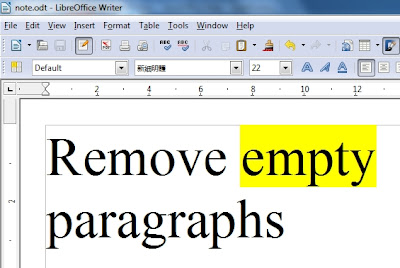
1 We may use the Find & Replace... feature to delete the empty paragraphs at once.

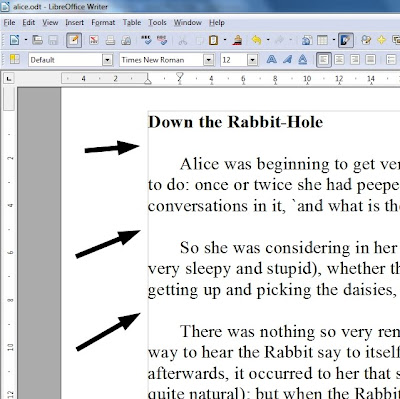
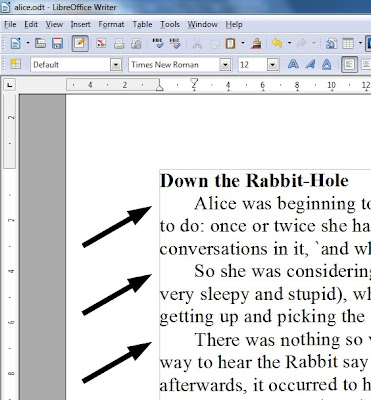
2 You can see the empty paragraphs.

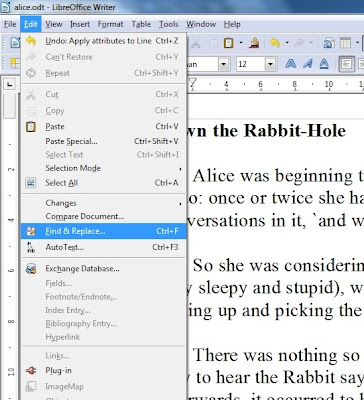
3 Press Edit, and Find & Replace...

4 Type ^$ and click on More Options.
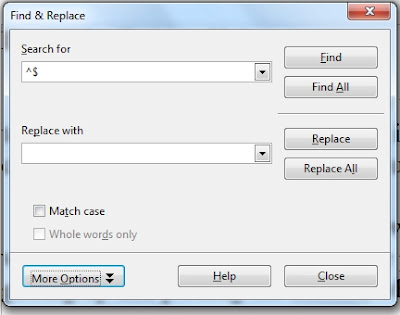

5 Check Regular expressions.
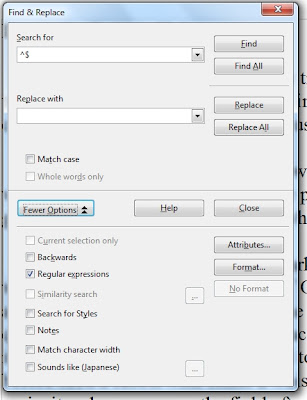

6 Press Replace All.
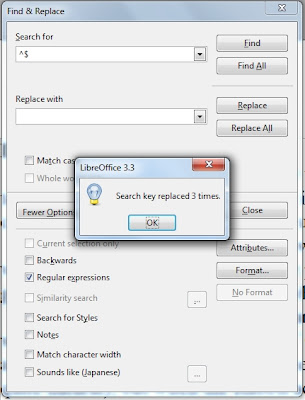

7 We have just replaced the empty paragraphs.

Handle nonprinting characters in LibreOffice
1 How do we show the nonprinting characters such as the “end of a paragraph” sign (by typing Enter) and the “end of line” sign (by typing Shift and Enter at the same time)?

2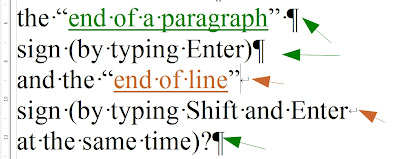
3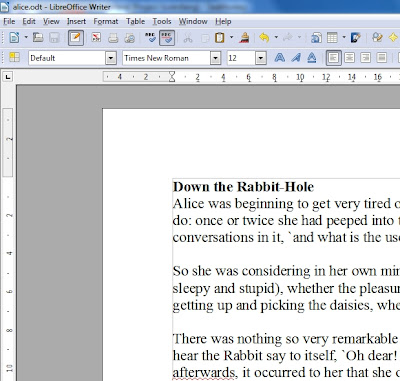
4 Press View and press Nonprinting Characters.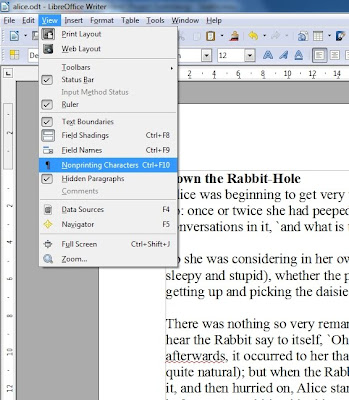
5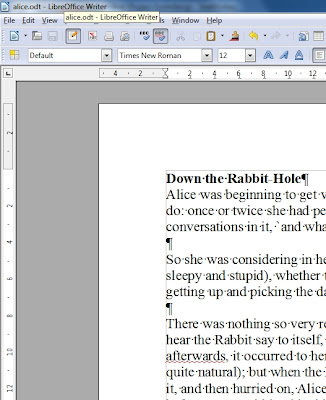
6 How do we hide nonprinting characters?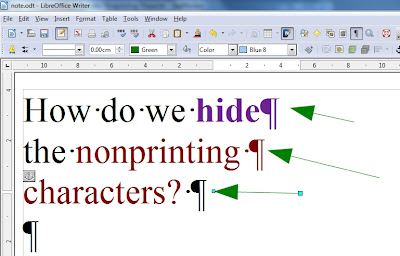
7 Press View and press Nonprinting Characters.

2

3

4 Press View and press Nonprinting Characters.

5

6 How do we hide nonprinting characters?

7 Press View and press Nonprinting Characters.

Subscribe to:
Posts (Atom)
 RSS
RSS